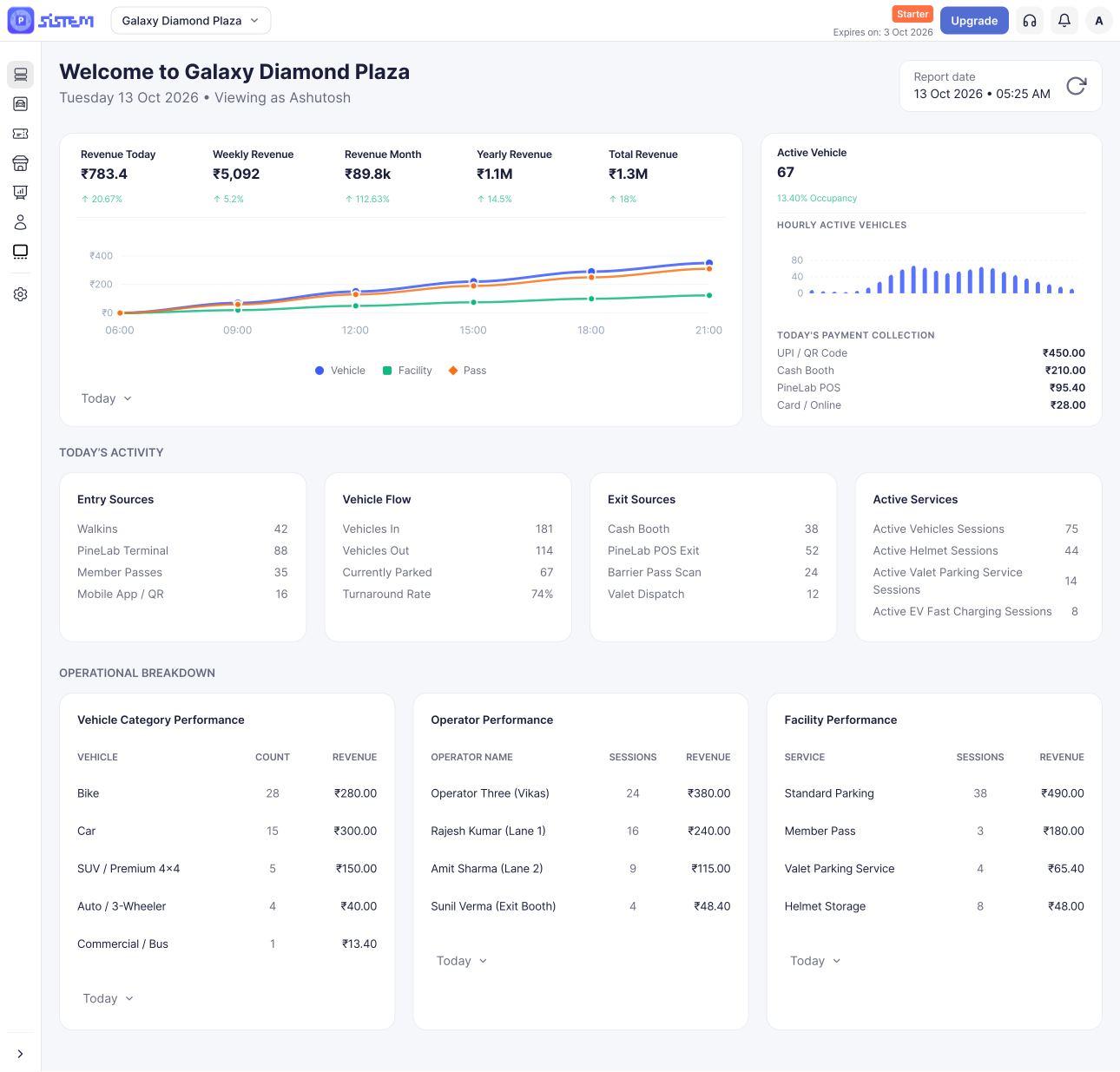



















































































SISTEM Parking is a platform that helps businesses manage their parking locations from one place.
Instead of using separate tools for pricing, entries and exits, payments, and reports, SISTEM brings everything together, so you can set up parking, manage vehicles and passes, offer extra services like EV charging or lockers, handle billing, and see how your business is performing, all in one system.
It works whether you run a single parking lot or manage many locations across different cities.
The Problem SISTEM Solves
Most parking businesses start small and grow over time, a register here, a spreadsheet there, maybe a tool added later to fix one specific problem. This works for a while, but it gets harder to manage as the business grows.
Common issues include:
- Pricing that’s difficult to change once it’s set up
- No way to earn revenue beyond vehicle parking
- Staff, devices, and reports that don’t talk to each other
- Separate systems for passes, facilities, and billing
- No clear view of occupancy, performance, or where money is being lost
SISTEM replaces this patchwork with one system that handles everything together.
How SISTEM Is Organized
SISTEM is built around three simple levels:
Organization → Parking → Operations
| Level | What it is |
|---|---|
| Organization | Your overall business account. This is where you manage billing, users, and company-wide settings. |
| Parking | A single parking location (a lot, a basement, an on-street zone, a mall, an event site, etc.). Each parking has its own pricing, capacity, and rules. |
| Operations | The day-to-day activity inside a parking — vehicles entering and exiting, active sessions, pass usage, payments, and receipts. |
You’ll set up your organization once. Most of your daily work happens at the Parking level, and the Operations level is where the live, real-time activity takes place including offline support, so things keep working even with a weak internet connection and sync automatically once it’s back.
Learn more about how SISTEM works
Who SISTEM Is For
- Independent parking owners
- Residential societies and gated communities
- Offices and commercial buildings
- Retail, mall and Airport operators
- Event and temporary parking managers
- Public and smart city parking projects
What You Can Manage in SISTEM
- Organizations and parking locations
- Pricing and capacity
- Vehicles, customers, passes, and reservations
- Vehicle entry and exit
- Parking sessions and occupancy
- Payments and transactions
- Extra facilities and services (EV charging, lockers, storage, valet, and more)
- Users, roles, and permissions
- Hardware and integrations
- Reports and analytics
Who Can Use SISTEM
SISTEM gives different people different levels of access, based on their role.
Organization-level roles (access across the whole business):
- Admin — Full access to everything
- Manager — Manages organization-wide operations and settings
- Accountant — Manages billing and financial information
- Viewer — Can view information but not make changes
Parking-level roles (access to one specific location):
- Manager — Manages that parking and its day-to-day operations
- Operator — Handles entries, exits, and daily activity
- Vendor — Handles vendor-related tasks for that parking
- Accountant — Manages payments and finances for that parking
- Viewer — Can view information but not make changes
This means you can give someone access to just one parking location, or to the whole organization, depending on what they need to do.
Learn more about Roles and Permissions in SISTEM Parking
A Few Things Worth Knowing
- One organization can manage many parkings. Each one runs independently, with its own settings.
- Every parking can be configured differently. Pricing, capacity, access, and facilities can all vary by location.
- You’re not limited to vehicle parking. You can add services like EV charging, lockers, storage, or valet each with its own pricing and reporting.
- Access is controlled by role, so people only see or manage what they’re supposed to.
- SISTEM grows with you. Start with one parking and basic pricing, then add passes, more locations, more users, and advanced reporting later without rebuilding anything.