



















































































Time-Based Pricing is the default pricing model for vehicle parking in SISTEM.
It charges vehicles based on the duration of stay using defined time tiers. The system automatically calculates the payable amount based on how long the vehicle remains inside the parking.
This model is flexible and supports slab, fixed, or hybrid tier configurations.
Why time-based pricing matters
Time-based pricing ensures:
- Automatic and accurate billing
- No manual duration calculation
- Transparent pricing logic
- Reduced operator errors
- Scalable pricing for short and long stays
It is ideal for:
- Commercial parking lots
- Malls and retail spaces
- Office complexes
- Public parking zones
How time-based pricing works in SISTEM
Time-Based Pricing is configured inside Vehicle Parking Rates.
Each vehicle type can have:
- Multiple time tiers
- Different pricing logic per tier
- Slab or Fixed calculation type
- Hybrid structures (combination of slab and fixed)
When a vehicle exits:
- SISTEM calculates total parking duration.
- It checks which pricing tiers apply.
- Charges are calculated automatically.
- Taxes are applied as per configuration.
- Final payable amount is generated.
This works across:
- Manual entry
- Pass-based entry (if applicable)
- ANPR-based entry
Where time-based pricing is configured
To configure time-based pricing:
- Open the required parking.
- Go to Parking Settings.
- Select Vehicle Parking Rates.
- Choose the vehicle type.
- Ensure pricing model is set to Time-Based.
- Add pricing tiers.
Only users with Admin or Manager access can configure pricing.
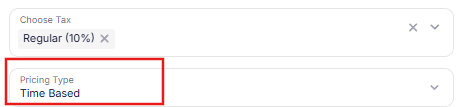
To configure time-based pricing for vehicles
- Open the required Parking.
- Go to Parking Settings.
- Select Vehicle Parking Rates.
- Choose the relevant Vehicle Type.
- Ensure the Pricing Model is set to Time-Based.
- Add or manage pricing tiers.
Learn more how you can add time based vehicle parking rates
Slab vs Fixed in Time-based pricing
Slab model
Charges incrementally per tier.
Example:
- 0–1 hr → ₹20
- 1–2 hrs → ₹30
- Total for 2 hrs = ₹50
Best for gradual billing.
Read more about slab pricing model
Fixed model
Applies full tier amount once duration crosses into that tier.
Example:
- 0–2 hrs → ₹50 fixed
- Even if parked 1.5 hrs → ₹50
Best for simplified pricing.
Read more about fixed pricing model
Hybrid model
Combines slab and fixed tiers.
Example:
- 0–2 hrs → slab
- Above 6 hrs → flat daily rate
Allows flexible control for long stays.
Editing time-based pricing
Admins and Managers can:
- Add new tiers
- Modify existing tiers
- Change slab/fixed type
- Activate or deactivate rate
- Update tax rules
Important:
- Changes apply to future sessions.
- Completed sessions remain unaffected.
- Avoid modifying tiers during peak operational hours.
Operational best practices
- Define tiers clearly before going live.
- Avoid overlapping time ranges.
- Ensure Min and Max hours are continuous.
- Test pricing with sample durations.
- Review tax application before activation.
Well-defined time-based pricing reduces disputes and ensures consistent revenue tracking.
Common use cases
Time-based pricing is commonly used for:
- Hourly parking
- Day parking
- Commercial high-traffic areas
- Locations with varied duration patterns
Read next
Vehicle Parking Rates
Slab Pricing
Fixed Pricing
Live Parking Sessions
Parking Passes